An AI PDF editor is an online tool that lets you modify PDF documents using natural language instructions instead of navigating menus and selecting tools manually. Instead of clicking through an interface to remove page 3, you simply type "remove page 3" — and the AI handles the rest.
PDFKro's AI PDF Editor at pdfkro.com/ai-edit takes this further: it supports 10 different PDF operations and lets you chain multiple edits in a single command. Type "rotate page 1 clockwise, remove pages 3-5, add watermark CONFIDENTIAL" — all three operations execute automatically, in sequence, in one click.
It is powered by Mistral AI for command understanding and pdf-lib for PDF processing — making it one of the most capable free AI PDF editors available online in 2026, with no subscription or Adobe Acrobat required.
How to Edit a PDF with AI — Step by Step
1
Upload your PDF file
Drag and drop your PDF onto the upload area above, or click to browse. You can upload multiple PDFs if you plan to merge them.
2
Type your AI command in plain English
In the command box, write exactly what you want — for example: "remove page 2, rotate page 1 by 90 degrees, add watermark DRAFT to all pages". You can chain as many operations as needed in one sentence.
3
Click Parse Command — AI reads your instruction
PDFKro sends your command to Mistral AI, which parses it into structured operations. Each detected operation appears as a card in the operations panel. Review them and edit parameters if needed.
4
Click Apply Operations — download your result
All operations are applied to your PDF in sequence on the server. The modified file downloads automatically to your device. Your original file is never stored.
AI PDF Commands — Real Examples That Work
Copy any of these commands directly into the command box above. Modify page numbers or text as needed.
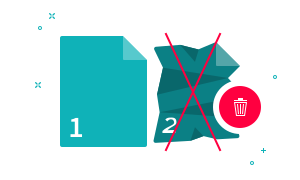
🗑️ Delete Pages
"remove page 3""delete pages 2, 4, and 6""remove the last 2 pages""delete pages 1 to 5"
🔄 Rotate Pages
"rotate page 1 clockwise 90 degrees""rotate all pages by 180 degrees""rotate pages 1-3 left""rotate the last page clockwise"
💧 Add Watermark
"add watermark CONFIDENTIAL to all pages""watermark "Internal Use Only" in red""add watermark DRAFT at 45 degrees""stamp TOP SECRET on every page"
✂️ Split PDF
"split into individual pages""split every 3 pages""split by range 1-5 and 6-10""split after page 4"
🔗 Merge PDFs
"merge all uploaded PDFs""combine all files""join all PDFs into one"
🔢 Add Page Numbers
"add page numbers""add page numbers starting from 3""add page numbers at the top right"
No other free tool lets you chain rotate + delete + watermark + split in a single natural language sentence.
No sign-up, ever
Use the full AI editor without creating an account, entering an email, or providing payment details.
Files are never stored
Your PDF is processed in server memory and discarded immediately after download. Nothing is saved or shared.
100% free
No subscription, no credit card, no premium tier. Every feature — including AI editing — is free forever.
Powered by Mistral AI
PDFKro uses Mistral AI for intelligent command parsing, enabling accurate interpretation of complex multi-step instructions.
Works in any browser
No download or installation required. Works on Windows, Mac, Linux, iOS, and Android in any modern browser.
Frequently Asked Questions
How do I edit a PDF with AI for free?
Go to pdfkro.com/ai-edit, upload your PDF, and type your instruction in plain English — for example: "remove page 3, add watermark CONFIDENTIAL". Click Parse Command, review the detected operations, then click Apply Operations. Your edited PDF downloads automatically. No account, no payment required.
Can I remove specific pages from a PDF using AI?
Yes. Type commands like "remove page 3", "delete pages 2-5", "remove the last page", or "delete pages 1, 4, and 7". The AI identifies individual pages and page ranges. This works for non-consecutive pages too.
Does the AI PDF editor add a watermark to my output?
No. PDFKro never adds its own watermark to your output files. The watermark feature in PDFKro is an edit tool you control — if you want to add a watermark, you command it; otherwise no watermark is added to your result.
What is the maximum PDF file size I can upload?
PDFKro currently accepts PDFs up to approximately 50MB. For very large PDF files, consider splitting them into smaller parts first using the Split PDF tool at pdfkro.com/splitpdf, then editing the parts individually.
Can I merge multiple PDFs and then edit them?
Yes. Upload multiple PDF files and type "merge all PDFs, then add page numbers and compress". PDFKro can merge first and apply additional operations in the same command sequence.
Is PDFKro safe for confidential documents?
PDFKro does not store, log, or share your uploaded PDF files. Files are held in server memory only for the duration of processing and are deleted immediately after your download. However, for highly classified documents, verify this aligns with your organization's data policy.
Start Editing Your PDF with AI — It's Free
No sign-up. No Adobe. No watermark on output. Process your PDF in under 30 seconds.